MagicSchool FAQs
Practical answers about using AI in ways that support students and teachers.
Last updated: March 2026

What’s MagicSchool and who’s it for?
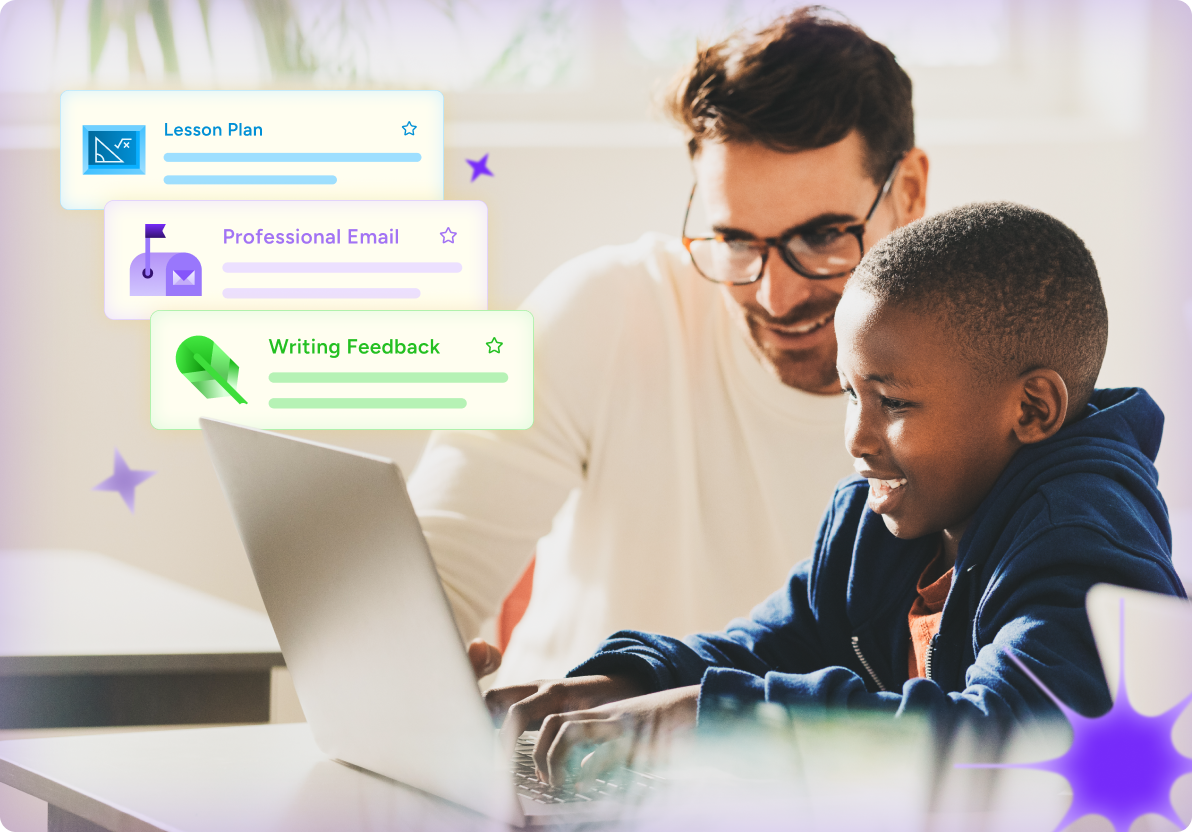
MagicSchool is an AI platform built specifically for K–12 educators and students. It helps teachers streamline planning, feedback, communication, and differentiation so they can spend more time on instruction and their students.
Whether you're using it in the classroom or helping introduce AI across a school or district, MagicSchool is built with safety, privacy, and responsible use at the center.
Why schools trust MagicSchool
Schools need tools they can stand behind. MagicSchool is designed to support instruction while protecting students and maintaining district oversight.
Built specifically for K–12 classrooms
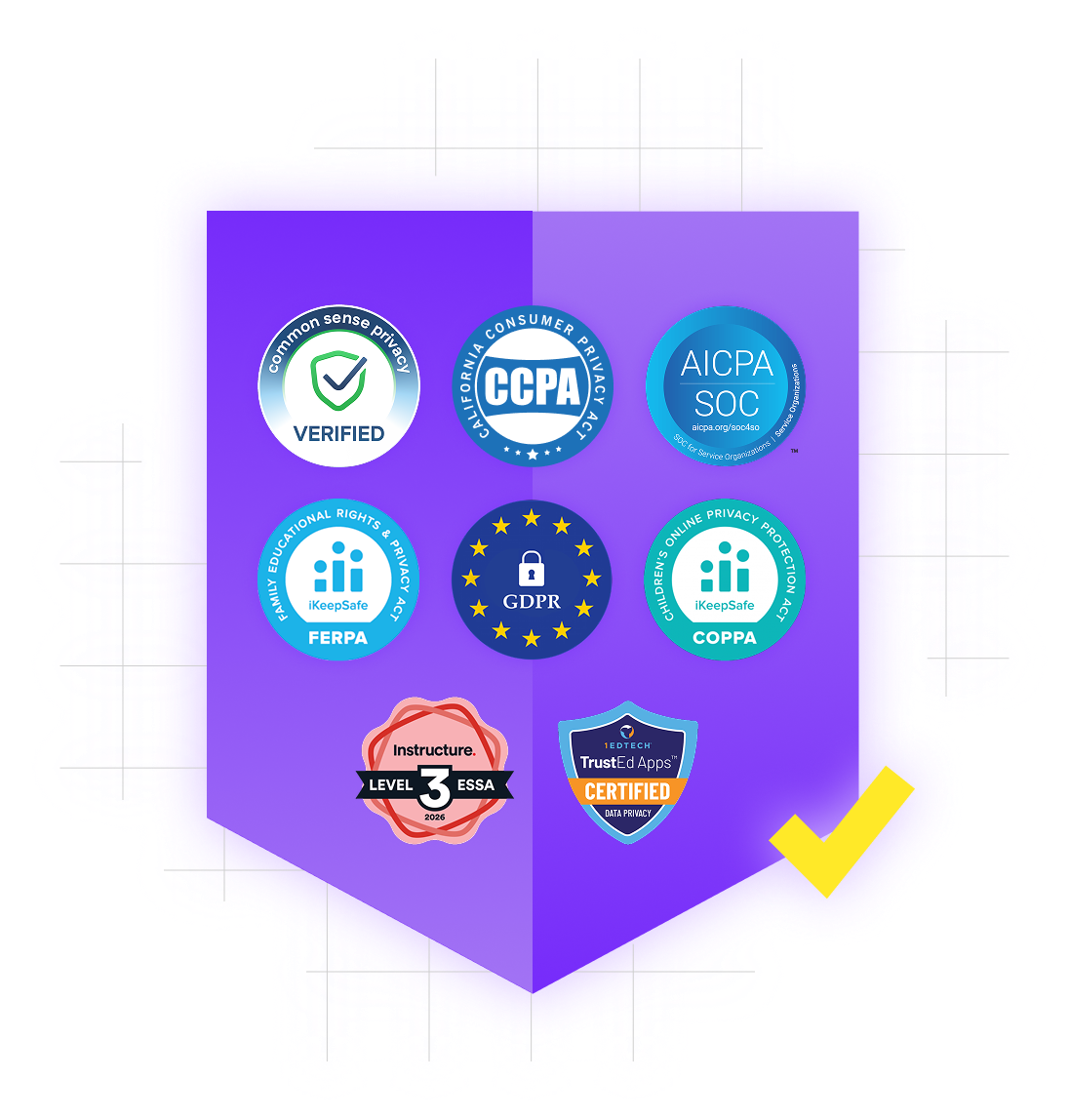
FERPA and COPPA compliant
Student data is encrypted and never used to train AI models
Built-in guardrails and content moderation
Teacher oversight and classroom controls
Learning-focused AI that supports instruction, not companionship
Trusted by millions of educators worldwide
How can parents help their children use AI responsibly at home?


Parents can help children use AI responsibly by staying curious and talking about how it works. Ask your child when they use AI, what it helps them do, and how they decide whether an answer is accurate.
Encourage them to protect personal information, check AI-generated content against trusted sources, follow their teacher’s rules, and be honest when they’ve used AI. Exploring AI together can also help your child understand its strengths and limitations while reinforcing that their own thinking comes first.
How does MagicSchool support diverse learners, including multilingual students and students with different learning needs?
MagicSchool helps teachers make learning more accessible for every student. Teachers can adjust reading levels, translate materials, explain a concept in a different way, create extra practice, or offer feedback based on a student’s needs.
This can be especially helpful for multilingual learners and students who benefit from additional support or different ways to engage with a lesson. Teachers review and shape AI-generated materials before sharing them with students.
How does MagicSchool create a safe, age-appropriate AI experience for students?
MagicSchool gives students a guided AI experience built specifically for K–12 learning. Safety protections and content moderation are always turned on for students, and districts can add settings that reflect their own policies and community needs.
Teachers choose what students can access and can review their activity. Students are also unable to chat with one another in MagicSchool, helping keep the experience focused on learning.
How do teachers guide and oversee students’ use of MagicSchool?
Teachers decide how students use MagicSchool and can see what happens along the way. They choose the tools and activities students can access, share instructions, and review students’ work and AI interactions.
Students enter through teacher-created Student Rooms, which gives them a focused place to complete a specific activity. This helps teachers keep AI use connected to learning goals and step in with guidance whenever it’s needed.
How does MagicSchool help students build critical thinking and AI literacy skills?
MagicSchool helps students learn how to use AI thoughtfully, safely, and responsibly.
With their teacher’s guidance, students practice asking strong questions, checking AI-generated information for accuracy and bias, and deciding whether an answer is helpful or trustworthy. They also learn that AI can make mistakes and that their own judgment matters.
These skills prepare students to use AI with more confidence in school and beyond.
How does MagicSchool support my child’s learning?
MagicSchool helps students learn, create, and solve problems with support from their teacher. A student might use it to brainstorm ideas, practice a skill, ask questions, get feedback, or explore a topic in a new way.
Teachers decide when and how students use MagicSchool, so each activity connects to what’s happening in the classroom. The goal is to help students think more deeply and take an active role in their learning.
What is your Refund Policy for Annual Subscriptions?
Annual subscriptions reflect a discounted rate in exchange for a one-year commitment. Refunds are available if requested within 14 calendar days of the most recent payment. After that period, subscriptions are non-refundable. If you have questions about your account or billing, contact [email protected].
Additional information about Refunds:
- Refunds are only applicable if the cancellation request is made within 14 calendar days of the most recent annual payment.
- Non-Refundable Period: Payments made more than 14 calendar days ago are non-refundable.
- Service Continuation: Upon cancellation without a refund, your subscription will remain active until the conclusion of the current billing period. If a refund is issued, access to your account will be terminated upon processing of the refund.
Your subscription begins immediately upon processing of your initial payment. You will be charged the annual rate stated at the time of purchase, plus applicable taxes, in one lump sum. Your subscription will automatically renew on your annual renewal date until you decide to cancel.
By subscribing, you authorize us to securely store your payment method(s) and to automatically charge your payment method(s) once per year. Charges will reflect the current rate for your chosen plan, plus applicable taxes.
What is your Refund Policy for Month-to-Month Subscriptions?
Month-to-month subscriptions are non-refundable except within 14 calendar days of the most recent monthly payment. If you have a billing question or need help reviewing your account, contact [email protected].
Additional information about Refunds:
- Refunds are only applicable if the cancellation request is made within 14 calendar days of the most recent monthly payment.
- Non-Refundable Period: Payments made more than 14 calendar days ago are non-refundable.
- Service Continuation: Upon cancellation without a refund, your subscription will remain active until the conclusion of the current billing period. If a refund is issued, access to your account will be terminated upon processing of the refund.
Your subscription begins immediately upon processing of your initial payment. Your subscription will automatically renew each month until you decide to cancel.
By subscribing, you authorize us to securely store your payment method(s) and to charge your payment method(s) automatically every month. Charges will reflect the current rate for your chosen plan, plus applicable taxes.
What if I sign up for MagicSchool Plus and then my school / district becomes an innovators partner and gets an Enterprise license for me?
If your school adopts Enterprise after you’ve upgraded to Plus, our team will help transition your account. Please also see our prorated refund policy:
Prorated Refund Policy
Prorated refunds are only available to Plus users who purchased an individual subscription before their school or district purchased an Enterprise subscription. This refund covers the unused portion of the individual subscription.
How It Works:
- Contact us to request a prorated refund once your school or district purchases an Enterprise subscription.
- We calculate the refund based on the remaining unused portion of your individual subscription from the date you reach out through the end of your current billing period.
- Refunds are issued to the original payment method.
Eligibility:
- Only users who purchased an individual subscription before their school or district purchased an Enterprise subscription are eligible.
Processing:
- Once your refund request is confirmed, prorated refunds are issued immediately to the original payment method.
- Please allow 5–10 business days for the refund to appear on your statement.
- You will receive a confirmation email with the prorated refund amount.
Contact Us: If you have questions about your prorated refund or need assistance, please contact our support team at [email protected].
What are your cancellation terms?
Individual subscriptions can be canceled at any time through your account settings. Access continues through the end of the current billing period unless a refund is issued, in which case access is terminated upon processing of the refund.
District agreements follow the terms outlined in the signed contract.
I’m on the Free plan. How will I know when I’m close to my generation limit?
On the Free plan, your account dashboard shows how much usage you have remaining. As you approach your limit, you’ll see a notification inside the platform.
Usage resets automatically based on your plan. If you find you need additional generations, you can upgrade to Plus any time.
How are usage or word limits different across MagicSchool plans?
Usage limits reflect how frequently someone uses the platform, and your available usage is always visible inside your account.
- Free includes standard generation limits.
- Plus increases those limits for more classroom use.
- Enterprise plans are structured for schoolwide or districtwide access.
If my school or district doesn’t have MagicSchool Enterprise, can I still access all educator features?
Yes, teachers can use MagicSchool independently through Free or Plus plans. Enterprise adds district-level management and visibility, but classroom tools remain available to individual educators.
What tools does MagicSchool provide for district-level visibility and usage monitoring?
Enterprise includes district dashboards that provide visibility into adoption and overall usage patterns across schools. District leaders can manage access, support implementation, and ensure AI use aligns with local policies and instructional priorities.
What are the differences between the Free, Plus, and Enterprise version of MagicSchool?
MagicSchool offers three plans to support different levels of use:
Free provides educators with access to core classroom tools and standard usage limits.
Plus increases usage limits and includes expanded features for educators who use MagicSchool more frequently.
Enterprise is built for schools and districts. It includes district-wide access, administrative dashboards, single sign-on, centralized management, and implementation support to help schools introduce AI responsibly.
You can compare current features and plan details on our Pricing page.
Can MagicSchool be used by school districts?
Yes. Schools and districts can implement MagicSchool through the Enterprise plan.
Enterprise supports district-wide access and includes features like administrative dashboards, single sign-on, and centralized controls. These tools help district leaders introduce AI thoughtfully while maintaining visibility and oversight.
You can learn more about district plans on our Pricing page.
Is MagicSchool AI free to use?
Teachers can use MagicSchool for free, with core tools for lesson planning, assessments, differentiation, and communication. For many educators, the Free plan is enough to meaningfully reduce planning time week to week.
Educators who use MagicSchool more regularly choose Plus for expanded usage and additional features. Schools and districts can adopt Enterprise to support district-wide access, single sign-on, administrative visibility, and thoughtful implementation.
A full comparison of plans is available on our Pricing page.
What is MagicSchool’s commitment to transparency?
MagicSchool is committed to clear communication about how our platform works, which models we use, and how data is handled. We publish privacy documentation, explain our safeguards, and work directly with districts to answer questions about compliance and security.
AI in schools requires trust. We believe transparency is part of earning and maintaining that trust.
Who owns the content created with MagicSchool?
Educators and students retain ownership of the content they create using MagicSchool. MagicSchool does not claim ownership of classroom materials generated on the platform. User content is stored securely to support access and oversight, and it is not sold or used to train external AI models.
What happens if a student or educator attempts to use MagicSchool in a way that falls outside approved guardrails?
MagicSchool includes built-in safeguards and moderation systems designed for K–12 environments. If a user attempts to generate content that violates platform guidelines or safety standards, the request may be blocked or filtered.
Schools and districts maintain oversight through educator controls and account management tools. This layered approach helps ensure the platform remains aligned to instructional purposes.
Does MagicSchool AI detect AI-generated work?
MagicSchool is not designed to detect AI-generated student work. Instead, MagicSchool focuses on helping teachers guide responsible AI use in the classroom. Tools are designed to support learning, feedback, and skill development while keeping educators in control of how AI is used.
Many schools combine clear classroom expectations, teacher review, and AI literacy instruction to help students use AI thoughtfully and responsibly.
What are best practices for using MagicSchool appropriately?
MagicSchool is designed to support teaching and learning, not replace professional judgment. We recommend using AI to draft, brainstorm, organize, and differentiate materials, then reviewing and refining outputs before sharing them with students.
For student use, AI works best when it supports thinking rather than doing the thinking for them. Educators should set clear expectations about when and how AI tools can be used in class, just as they would with any other instructional resource.
MagicSchool provides guidance and guardrails to help schools model responsible, age-appropriate AI use.
How can our district complete a data privacy agreement (DPA)?
MagicSchool signs DPAs that align with district requirements and works with regional and national privacy organizations to streamline the process. To get started, districts can contact [email protected] or their MagicSchool account representative.
How often do you update your security practices?
MagicSchool reviews and updates privacy and security practices regularly to align with evolving best practices and district needs. Updates are reflected in our Privacy and Security documentation.
How does MagicSchool keep student data safe?
MagicSchool uses encryption for data in transit and at rest, along with role-based access controls and ongoing security reviews. We also complete regular security audits to strengthen safeguards over time. Student privacy and district trust are requirements, not add-ons.
Does MagicSchool store or share student conversations?
Student interactions are stored securely to support teacher visibility and classroom oversight. Only authorized educators and administrators in your school or district can view these interactions. MagicSchool does not sell or share student conversation data for advertising and does not allow it to be used to train external AI models.
How long does MagicSchool retain user data?
MagicSchool retains data only as long as necessary to provide our services or as required by law. Schools and districts can request data deletion or export at any time by contacting [email protected].
Where is MagicSchool data hosted?
MagicSchool data is stored and processed in U.S.-based, FERPA-aligned data centers operated by trusted infrastructure providers. These environments are built to meet industry standards for encryption, redundancy, and access control.
How does MagicSchool verify users and prevent unauthorized access?
MagicSchool requires authenticated logins through secure methods, including Google, Microsoft, Clever, and ClassLink. Districts can also enable single sign-on (SSO) for stronger access control and permission management. Role-based access helps ensure only the right people can see the right information.
How does MagicSchool protect against bias or misinformation?
MagicSchool combines model-level safeguards with platform-level guardrails to reduce bias and misinformation. We also prompt educators to review AI-generated content before using it with students, since teachers know their context best.
How does MagicSchool moderate content, especially for students?
MagicSchool uses a multi-layered moderation approach designed for K–12 settings. The platform includes built-in guardrails and content filtering to reduce unsafe, inappropriate, or off-task outputs. For student use, teacher controls and visibility help keep activity aligned to classroom expectations.
How does MagicSchool handle age requirements and student eligibility across K–12?
MagicSchool supports student use through school-approved access and educator-guided experiences. Students can use the platform when a school or educator enables access for legitimate educational purposes and appropriate consent requirements are met. We apply child-focused privacy protections across student use, including additional safeguards where required by law or district agreement.
What steps does MagicSchool take to ensure responsible AI use?
Responsible use is built into how MagicSchool works day to day. We combine guardrails and content moderation with clear educator oversight, so AI supports instruction without drifting into unsafe or inappropriate use. We also provide training and guidance to help educators model strong AI habits, including reviewing outputs for accuracy, bias, and classroom fit.
Is MagicSchool AI FERPA compliant?
MagicSchool is designed to support FERPA-aligned use in schools and districts. Our platform is built for K–12 environments with district expectations for privacy, oversight, and secure access. MagicSchool does not sell user data or use student data to train external AI models.
Can MagicSchool.ai be integrated with Google Classroom?
MagicSchool integrates with Google Classroom so teachers can share materials, assignments, and tools within their existing classroom environment. This keeps AI-powered resources connected to daily instructional practice.
Do you integrate with (Microsoft, Google, Canvas, Schoology, etc.) LMS platforms?
MagicSchool integrates with major LMS and identity platforms, including Google, Microsoft, Canvas, and Schoology. These integrations allow educators and students to access tools within systems they already use, reducing friction and streamlining classroom workflows.
Do you offer single sign on (SSO) authentication?
MagicSchool supports secure single sign on authentication for schools and districts. Teachers and students can access the platform using existing school credentials, simplifying onboarding and strengthening oversight.
How does MagicSchool’s AI work? Which Large Language Model(s) (LLMs) do you use?
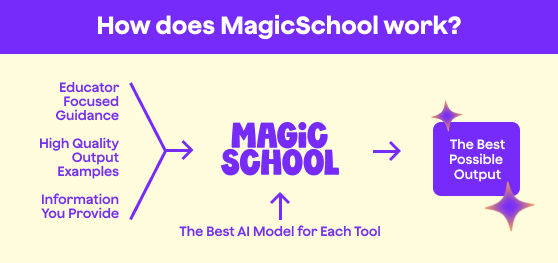
MagicSchool uses multiple large language models, including models from OpenAI, Anthropic, and Google, depending on the task. Requests are routed to models best suited for educational use cases within a system designed specifically for K–12 classrooms.
Student data is encrypted and is not used to train external AI models. All outputs are delivered within a platform that includes guardrails, moderation, and teacher oversight.
Is MagicSchool.ai better than Quizlet for creating classroom assessments?
MagicSchool is built specifically for educators who need customizable, standards-aligned assessments and instructional materials. It generates differentiated questions, rubrics, and full assessments aligned to classroom goals.
Quizlet focuses primarily on study tools and flashcards, while MagicSchool supports broader planning, assessment design, and feedback workflows.
How does MagicSchool.ai support formative and summative assessment creation?
MagicSchool generates quizzes, exit tickets, short-answer questions, performance tasks, and standards-aligned assessments. Teachers can adjust difficulty, format, and alignment to match classroom goals. This supports both quick checks for understanding and more comprehensive evaluations.
Can MagicSchool.ai help with documenting student progress for IEP meetings?
MagicSchool helps draft professional summaries of student growth, goal progress, and instructional adjustments. Teachers can edit and tailor these drafts before meetings. The platform supports efficient preparation while maintaining educator oversight.
How can MagicSchool.ai assist with progress monitoring for IEPs?
MagicSchool helps generate progress summaries, tracking templates, and narrative updates aligned to measurable goals. Teachers can input student data and receive structured drafts to refine and personalize. This simplifies documentation while keeping educators in control.
How does MagicSchool.ai streamline IEP writing for special education teachers?
MagicSchool provides structured tools to help draft IEP goals, present levels of performance, accommodations, and service recommendations. It organizes information clearly and reduces documentation time. Teachers remain responsible for reviewing and finalizing all content to ensure accuracy and compliance.
Can MagicSchool.ai generate differentiated lesson plans for diverse learners?
MagicSchool generates differentiated materials tailored for multilingual learners, students with IEPs, advanced learners, and varied reading levels. Teachers can specify accommodations, scaffolds, and instructional supports directly within the tool. This makes differentiation more manageable without lowering expectations.
Can MagicSchool AI help with grading?
MagicSchool supports grading by helping teachers generate rubrics and draft targeted feedback aligned to learning standards. Educators review and finalize all feedback before sharing it with students. This reduces repetitive writing while preserving professional judgment.
Can MagicSchool AI create slides?
MagicSchool AI creates slide outlines and presentation-ready content that teachers can quickly adapt in their preferred presentation platform. It speeds up preparation while maintaining clarity and alignment to learning objectives.
Can I customize lesson templates in MagicSchool?
Yes. All generated content can be edited and personalized. Teachers can refine prompts, modify outputs, and align materials to their curriculum and teaching style. MagicSchool is built to support your expertise, not replace it.
Can MagicSchool AI write lesson plans?
MagicSchool generates lesson plans based on your grade level, subject, standards, and instructional goals. You can also add time constraints and differentiation needs, then review and refine the plan to fit your classroom. It’s a faster way to get started while keeping you in control of every instructional decision.
What is MagicSchool doing to support sustainability?
Innovation and sustainability should work together. We’re committed to responsible growth, and evaluate energy use and infrastructure practices that support both a smarter and greener future.
Read our environmental impact statement to learn more.
What is MagicSchool's AI knowledge cutoff date? How up to date is the information provided by the AI?
Our tools draw from different AI models, each with its own knowledge base and update cycle. Since we use a variety of models and are continuously evaluating new ones, we aim to stay as accurate and relevant as possible.
Does MagicSchool.ai offer training resources for new users?
We provide onboarding resources, tutorials, and professional learning opportunities so new and experienced educators can use MagicSchool with confidence. To learn more, explore our professional development, certification courses, and AI literacy resources.
What languages does the MagicSchool app support?
MagicSchool supports multiple languages to help educators generate and translate content for multilingual learners and families. Language capabilities continue to evolve to improve accessibility and usability.
As of March, 2026, the platform offers 24 interface languages and can translate into 98 languages, including English (US), English (UK), Arabic, Bulgarian, Spanish (Spain), Spanish (Latin America), German, French, Canadian French, Mandarin, Cantonese, Hindi, Hebrew, Japanese, Italian, Indonesian, Korean, Brazilian Portuguese, European Portuguese, and Russian.
How does MagicSchool ensure tools are accessible for teachers and students with diverse needs?
MagicSchool is built with inclusive design principles and supports compatibility with assistive technologies and adaptable content formats. Educators can generate differentiated materials to meet varied learning needs while maintaining alignment with local standards.
What accessibility standards does MagicSchool align with (e.g., WCAG, VPAT), and how is compliance maintained over time?
We align with recognized standards such as WCAG and maintain a VPAT for transparency. Accessibility is an ongoing process at MagicSchool, and is reviewed continuously to support compliance and product improvement.
See our commitment to accessibility and ACR/VPAT results.
How does MagicSchool support digital citizenship and AI literacy?
MagicSchool is designed to promote responsible, supervised use of AI so students learn to think critically and use technology ethically. Educators stay in control, helping students build AI literacy alongside strong digital citizenship habits.
Can students use MagicSchool AI?
Yes! Students can use MagicSchool through MagicStudent, the student-facing version of the platform designed for classroom learning.
MagicStudent empowers students to brainstorm ideas, receive feedback, ask questions, and practice concepts while teachers guide how AI is used in their classrooms. This experience is designed with safeguards and moderation appropriate for K-12 school settings.
Is MagicSchool AI better than ChatGPT for teachers?
MagicSchool is designed specifically for K–12 educators.
Teachers use it to generate lesson plans, assessments, differentiated materials, feedback, and classroom communications. These tools are built around everyday teaching workflows rather than general-purpose prompts.
MagicSchool also includes safeguards, moderation, and privacy protections designed specifically for school use. Educators remain in control of how AI is used in their classrooms, and schools have the visibility and oversight they need to introduce AI responsibly.
What makes MagicSchool different from other AI tools for education?
Unlike general-purpose AI tools, MagicSchool is built specifically for K–12 schools. Teachers use it for everyday work, including lesson planning, differentiation, assessments, feedback, and communication. The tools are designed to support instruction while maintaining strong safeguards for student use.
MagicSchool also gives schools and districts the visibility and controls they need to introduce AI responsibly. Educators stay in charge of how AI is used in their classrooms, with systems in place to support safety, privacy, and oversight.
Why did you build MagicSchool?
We built MagicSchool to amplify the magic of teaching through human connection and unlock world-class education for every student. We believe teachers are magic and AI should support instruction, not replace it. Our goal is to remove busywork and burnout from the equation so teachers can create meaningful learning experiences and better student outcomes.
Does MagicSchool replace teachers?
No. MagicSchool is designed to support teachers, not replace them.
The platform helps streamline time-intensive work like lesson planning, differentiation, feedback, and documentation so educators can spend more time with their students and their instruction. Teachers remain in control of how AI is used in their classrooms and review any content before sharing it with students.
MagicSchool works best when it helps teachers do what they already do well: guide learning, build relationships, and support every student.
How does the MagicSchool Web Search Feature work? Do results bypass web filters that districts and schools already have in place for certain websites?
MagicSchool’s Web Search feature is designed to respect existing school and district safety measures. Results are filtered to surface educationally appropriate content, and the feature does not bypass any district-level web filters or restrictions already in place.
The goal is to help teachers and students find reliable, relevant information while maintaining compliance with district safety and privacy standards. Learn more about Web Search.
How does pricing compare to other AI platforms?
Many AI tools aren’t built with the needs of teachers and students in mind and are priced beyond their reach, with Microsoft Copilot being priced at $25 a month and ChatGPT Plus priced at $20 per month. In addition, both are not customized for education and do not provide safe student access. Our pricing meets the needs of school and district budgets. Our yearly cost is over 50% lower than both Microsoft Copilot and ChatGPT Plus with more value including student usage.
How much does it cost for a school or district license to MagicSchool Enterprise? How much for an individual subscription to MagicSchool Plus?
For school and district Enterprise licenses, we offer volume-based discounts, additional features listed on the chart above, unparalleled customer support, and much more. Request a quote now!
For individual subscribers to MagicSchool Plus, pricing is as follows: Billed Monthly: $12.99 per month. Billed Yearly (36% discount): $8.33 per month ($99.96 yearly).
We looked everywhere. This topic hasn’t made its way into our pages yet. Try a different term, or explore our Support Center.
Looking for something else?

Visit our Support Center to browse more FAQs, resources, and support.