MagicSchool’s new AI teaching tools support planning, assessment & feedback
.jpg)
Editor’s note: Michael Smith is a fictional teacher whose experiences reflect what we hear from educators every day. His story blends common challenges, real teacher feedback, and the moments that continue to guide how we build MagicSchool as part of a category of AI teaching tools.
When 8th-grade English teacher Michael Smith starts his morning, he’s thinking about more than the lesson ahead. There’s planning to finish, materials to prep, feedback to give, and a long list of to-dos waiting before students even walk in the room.
“Teaching has never been just one task,” he says. “It’s a constant flow of decisions throughout the day, and they all shape what happens in class.”
This reality guides how we’re building MagicSchool and expanding our suite of AI teaching tools.
This year, we’re introducing new capabilities designed to support teachers and make the school day feel more connected. These updates reflect how we’re evolving as the AI Operating System for Schools, where tools, documents, and workflows live together in one centralized platform instead of being scattered across systems.
District guidance without extra steps
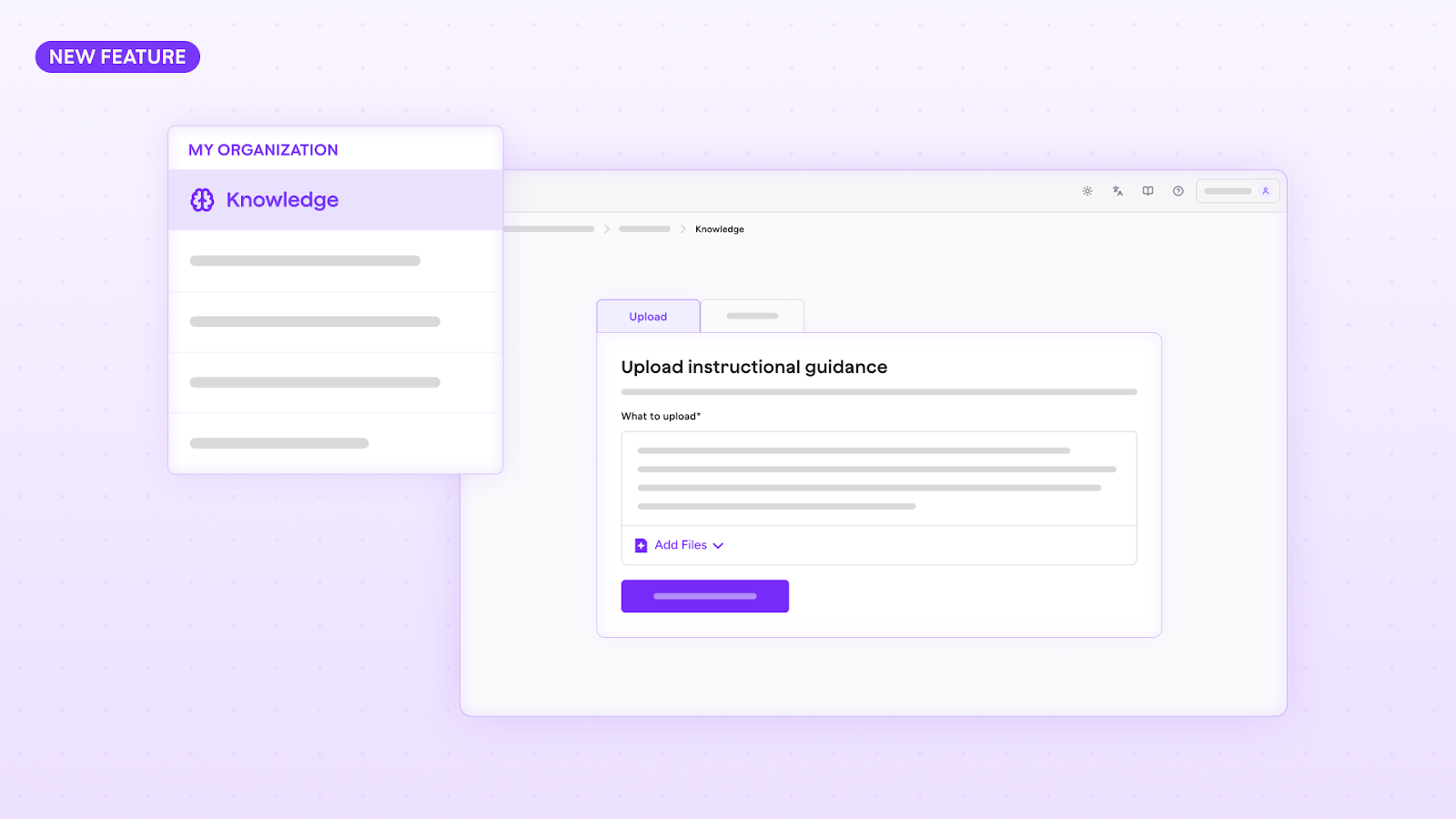
One of our biggest updates for Enterprise accounts centers on Knowledge, a feature that lets district leaders upload curriculum documents, rubrics, and policies once and have that guidance apply across MagicSchool tools.
For Mr. Smith, that means fewer tabs and less second-guessing.
“I used to keep multiple versions of our writing expectations bookmarked,” he offers. “Every year something changed, and I’d spend time figuring out which one was current.”
With MagicSchool’s AI lesson plan tool, when he creates a lesson plan, a writing scaffold, or even an email to families, the language already reflects the latest district guidance.
“It just shows up where I need it,” Mr. Smith smiles. “I don’t have to stop and check. I can focus on planning.”
With Knowledge, district leaders can finally depend on having consistent alignment across classrooms without heavy-handed oversight.
Knowledge will be available soon to Org Admins with Enterprise accounts.
AI lesson planning tools that give teachers time back
During his planning period, Mr. Smith opens MagicSchool’s AI Lesson Plan tool and begins working on his latest lesson plan in Studio Mode, a new document-based space designed for editing AI outputs in one place.
“It feels like working inside a real document instead of scrolling through a conversation,” he explains. “I can generate a draft, make changes, move things around, include AI-generated images from Adobe, and export it without losing my place.”
.png)
On a recent morning, Mr. Smith used Studio Mode to plan a lesson on analyzing evidence across two texts. The platform generated a lesson draft, editable handouts with images for students to reference, scaffolded versions for multilingual learners, and an exit ticket. Everything stayed aligned with district expectations through Knowledge.
Mr. Smith guesses it saved him about 20-30 minutes for that lesson, time he now uses to check in individually with students who need support.
AI assessment tools for smarter insights and stronger instruction
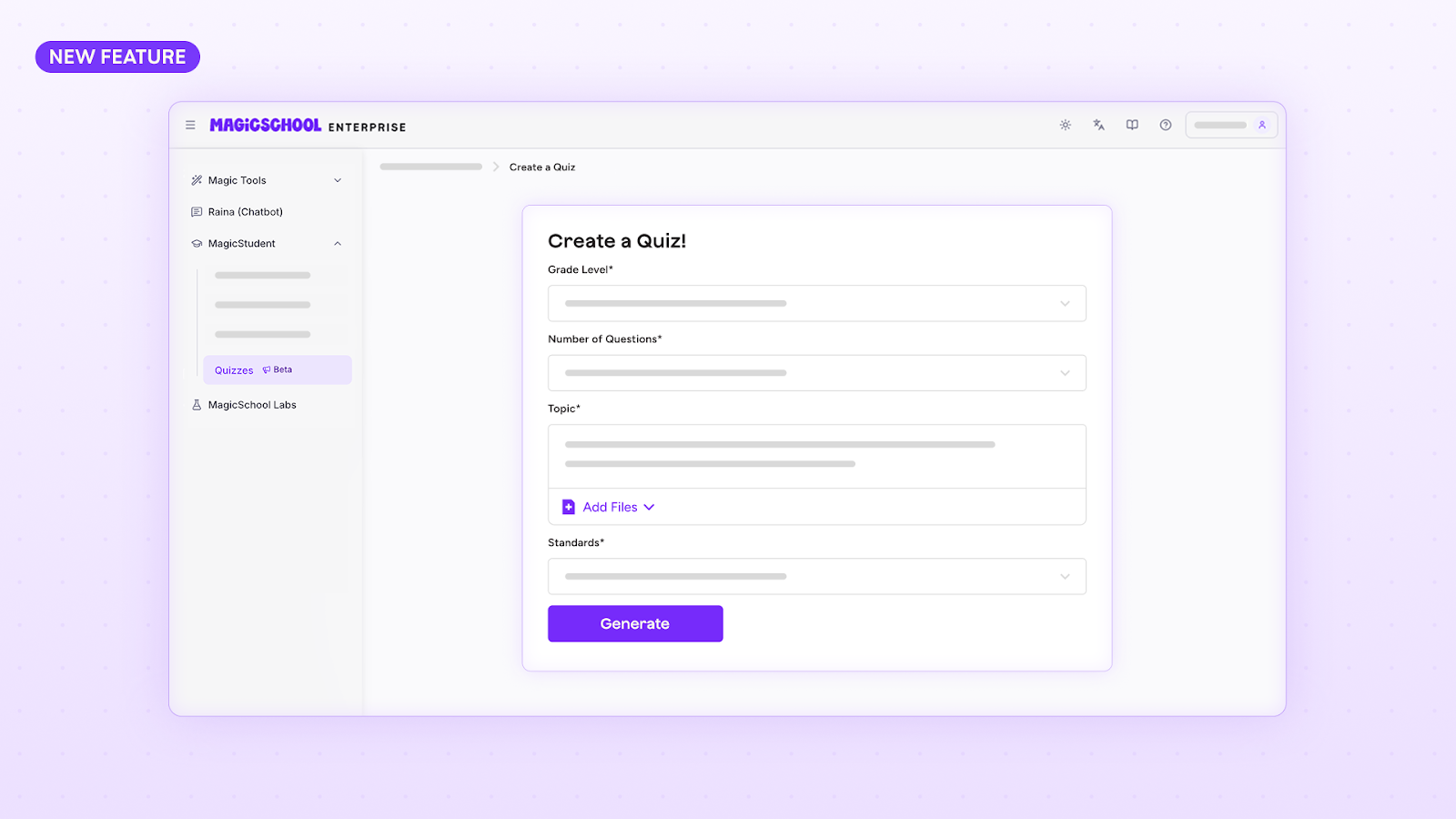
At the end of class, Mr. Smith uses a new formative AI assessment tool from MagicSchool called MagicQuizzes to create a short, low-stakes exit ticket. The tool generates standards-aligned multiple-choice and short answer questions, gives students immediate feedback, and summarizes results for him as the teacher.
Within minutes, he can see how students did.
“Before MagicQuizzes, I’d sometimes wait until the end of the day (or worse, week) to see who understood the material,” he shares. “Now, I know by the end of a class period, and I can regroup with students the next day.”
Ai assessment tools offer quick visibility, helping him respond faster, especially in bigger classes where it can be tougher to see who needs extra help.
To support educators during the current school year, we’re opening up broad access to MagicQuizzes, giving teachers on every plan time to explore this tool in real classrooms and respond to student needs in the moment.
Writing feedback that meets students in the moment
Writing feedback is essential, but giving quality, actionable edits take a lot of time.
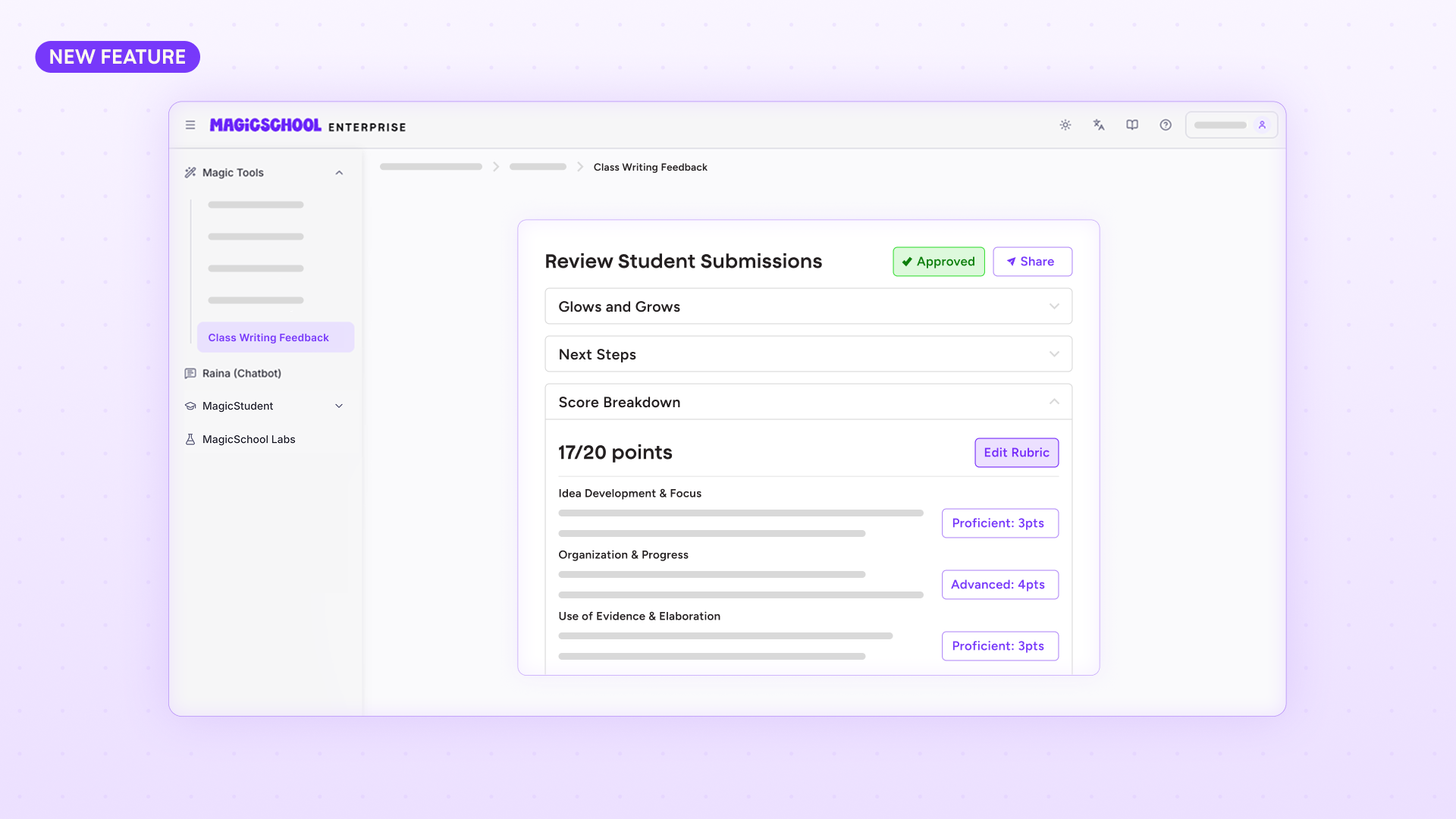
Mr. Smith recently collected nearly 80 short essays. In the past, responding to each one meant hours outside the school day. With MagicSchool’s new Class Writing Feedback workflow, an AI writing feedback tool, he reviews AI-suggested comments grounded in his rubric, personalizes them, and sends feedback seamlessly, directly into students’ Google Docs. The workflow supports his expertise and helps him move faster.
“The feedback reflects what we’re learning and it still sounds like me, but students get it much sooner.”
When feedback arrives quickly, students are more likely to revise and apply it while the learning is still fresh.
Together, MagicQuizzes and Class Writing Feedback are part of a broader set of AI teaching tools we’re building to help teachers check for understanding and respond in real time, whether that’s through quick formative assessments or more thoughtful feedback on student writing.
What’s next: Creating even more space for meaningful classroom moments
Across these updates, we’re focused on making prep, planning, and paperwork feel lighter so teachers can spend more time with students.
This release is an exciting step toward a more centralized education platform: one that combines content generation, assessment, student supports, instructional data and district governance into a unified experience.
“When I’m not racing the clock,” Smith said, “I can actually listen more closely. I can conference with a student. I can notice when someone needs encouragement. That’s the part of teaching you can’t automate.”
This is the direction the platform will continue moving.
Our goal isn’t to replace the work teachers do. It’s to create a connected system that frees them to do the work only humans can — building relationships, guiding thinking, and supporting students as individuals.
We’ll keep listening to teachers like Mr. Smith as we build. Teachers are the magic, and we’re here to support them every step of the way.
Across these features, a theme emerges: efficiency is not the end goal — human connection is. By reducing the administrative load of planning, assessing, and providing feedback, MagicSchool aims to give teachers more capacity for the human side of the job.
Access and availability
MagicQuizzes and Class Writing Feedback are part of the Learning Outcomes Module, a new set of tools focused on formative assessment and feedback.
Through June 30, 2026, access works as follows:
- Enterprise and Plus users have unlimited access to these features during the current school year.
- Free users can explore these tools with limited usage.
We’re offering this access as a preview while we learn alongside educators. Details about future packaging and pricing will be shared ahead of the next school year, but please note that everyone on all plans will always retain standard access to these features.
Login to MagicSchool today to try these new features!