May 2026 MagicDrop: what's new in MagicSchool this month

More control, more creativity, and better outputs across MagicSchool.

What we rolled out recently
This month’s updates are all about giving you more flexibility, more creativity, and more confidence in the content you create and share.
From building and sharing your own student-facing AI tools to generating full podcast episodes for your lessons, May brings some of our most exciting improvements yet.
We’ve also made meaningful upgrades behind the scenes, from better math exports for our STEM teachers to a more polished visual design, to make sure MagicSchool works the way you need it to.
Share custom student tools across your organization
What’s new
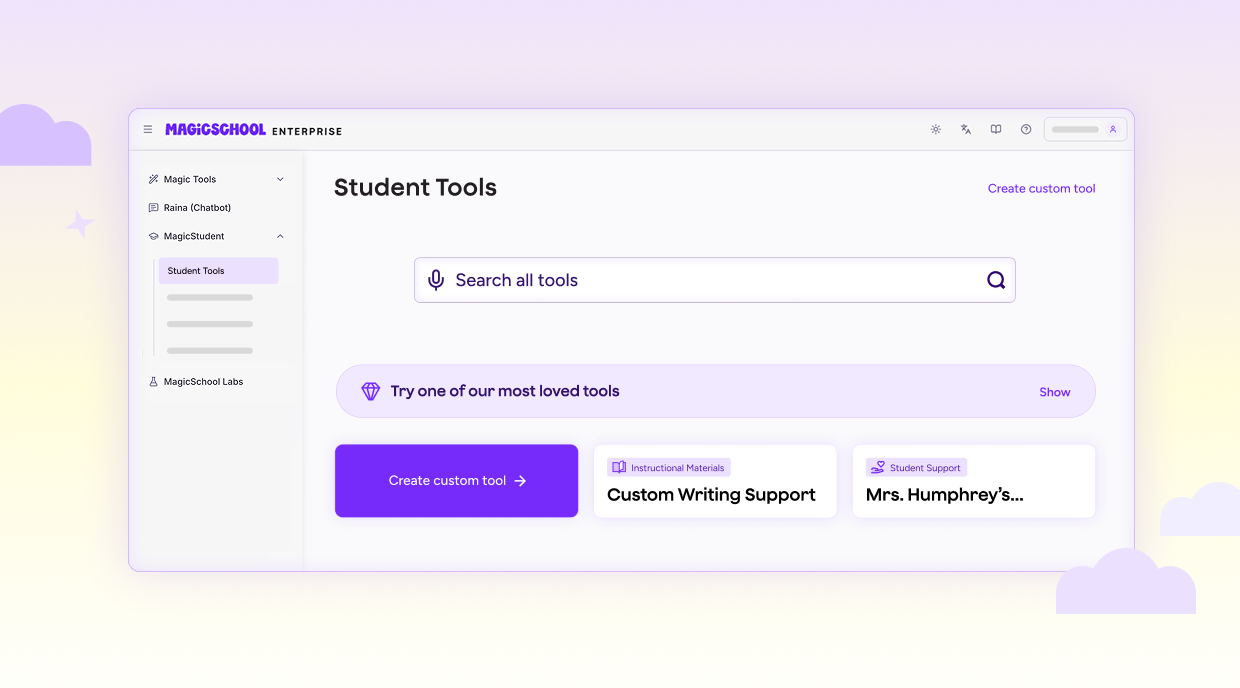
Teachers and admins can now create, save, edit, and share custom student tools, making it easy to reuse high-quality AI-powered learning experiences.
You can now:
- Create custom tools directly from the Student Tools page
- Save and edit tools for future use
- Share tools with other educators in your organization
- Copy and adapt tools shared with you
- Add tools directly into Student Rooms
- Search and manage your saved tools
Why this matters
Educators are already creating powerful student experiences with AI tutors, writing feedback tools, and even historical character chatbots. But until now, there wasn’t a simple way to share those tools themselves. This update removes that friction.
Now, great ideas don’t stay isolated in one classroom. They can spread, improve, and scale across your school or district—saving time and elevating the quality of student learning experiences everywhere.
More control in the Multiple Choice Quiz Tool

What’s new
You can now choose how many answer options appear in your multiple choice questions.
- Select between 3–7 answer choices
- Default remains 4 options
- Setting is now built directly into the tool (no prompt workarounds needed)
Why this matters
Previously, teachers had to rely on prompting to adjust answer choices, and results weren’t always consistent. Now, you have direct control.
This makes it easier to:
- Adjust rigor and difficulty
- Better match assessment standards
- Create more intentional question design
It’s a small change that gives you much more precision in how you build assessments.
Create educational podcasts with Podcast Generator

What’s new
We’ve launched a brand-new creative tool that makes it easy for teachers to generate fully produced, educational podcast episodes right inside MagicSchool.
Just provide a topic, grade level, and format, and the tool will generate:
- A complete, curriculum-aligned script
- AI-generated audio with natural-sounding voices
- Auto-generated podcast cover art
You can choose from formats like:
- Classroom explainers
- Storytelling
- News briefs
- Interviews
- Debates
And once created, episodes can be played, downloaded, and reused anytime.
Why this matters
Teachers have asked for engaging, audio-based content, but creating it has been time-consuming or inaccessible. Podcast Generator changes that.
Now you can:
- Support auditory learners
- Differentiate instruction with zero prep
- Add engaging audio to lessons, centers, or homework
- Build a reusable library of content tailored to your classroom
This also marks a big step forward for MagicSchool in bringing multimodal (not just text-based) AI into everyday teaching workflows. Podcast Generator is currently available in MagicLabs for Plus and Enterprise users.
A cleaner, more mature look across MagicSchool
What’s new
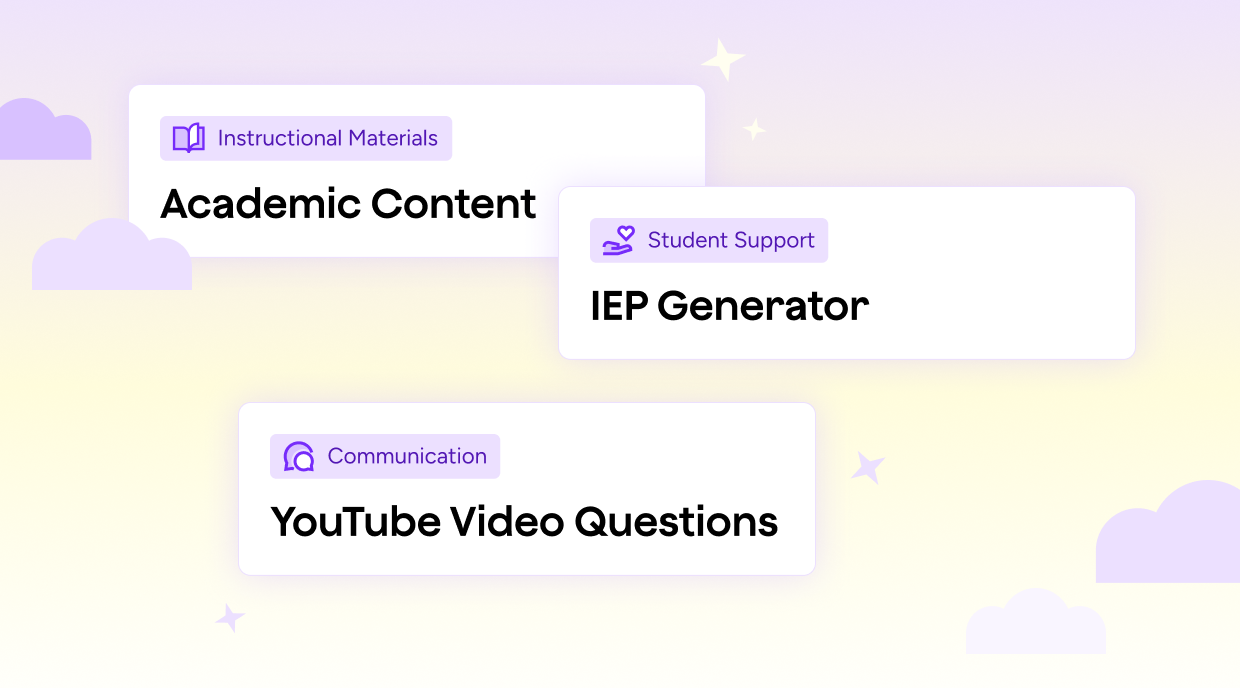
We’ve updated our tool icons across the platform with a cleaner, more consistent design.
- Replaced colorful, individual icons with a unified system
- Icons now align to tool categories (not individual tools)
- New color palette that’s more subtle, professional, and consistent
Why this matters
We heard your feedback: while MagicSchool is powerful, the visual design didn’t always reflect that, especially for older students and secondary classrooms.
This update improves:
- Perceived professionalism
- Usability and consistency
- Comfort using MagicSchool in middle and high school environments
It’s the first step in a broader evolution of our design system, with more improvements coming soon.
Better math rendering in exports
What’s new
We’ve upgraded our document export engine to significantly improve how math renders in exported files. What you’ll see now:
- Cleaner formatting for equations, systems, and complex expressions
- Better support for LaTeX-generated content
- More reliable exports across documents
Why this matters
If you’ve ever generated math content in MagicSchool only to see it break during export, you’re not alone. This has been a persistent frustration, especially for Math and STEM teachers creating content or assessments. With this update, what you generate is what you get. Your equations, expressions, and formatting now carry through cleanly into your final documents so you can trust your outputs from creation to classroom use.
Looking ahead
We’re continuing to build a more customizable, collaborative, and multimodal MagicSchool experience.
Coming next:
- Admin-created custom student tools for enterprise environments
- Improved discovery and sharing by subject and grade level
- Continued design improvements across the platform
- Expanded audio and student-facing creative tools
Try what’s new
Whether you’re building your own student tools, experimenting with podcast-based lessons, or creating more precise assessments, these updates are designed to help you do more, without interrupting your workflows. Explore these new updates and try them in your classroom.