Back-to-School MagicDrop: what's new for admins
Start the school year with new tools for communication, visibility, and district-wide AI leadership.
As AI adoption grows, district leaders are balancing a lot at once: supporting educators, setting clear expectations, and making sure students have safe, meaningful experiences.
These updates are designed to give you greater visibility and control while helping your schools get the most from MagicSchool from day one.
District Message: your voice, on day one
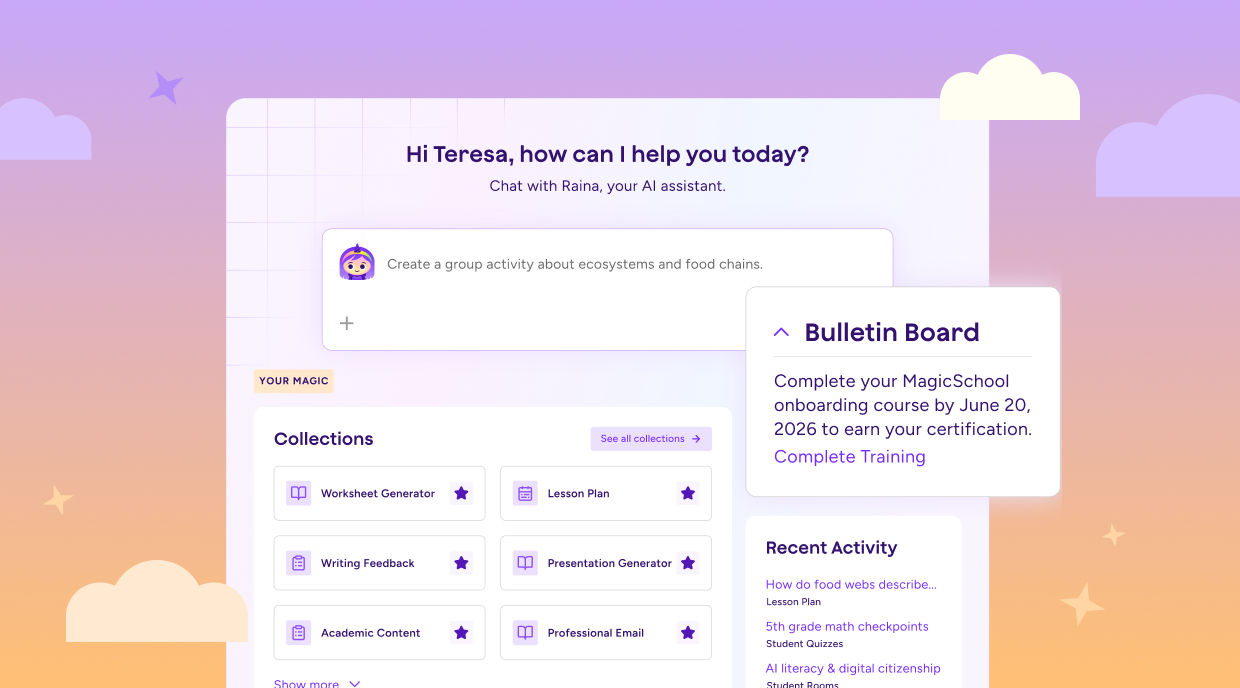
Your district can now show up inside MagicSchool the moment a teacher logs in. Share a welcome message, highlight key priorities, and point teachers to onboarding resources before they open a single tool.
Instead of competing for attention in a crowded inbox, your message is right where educators are already working.
Personalized access: the right tools to the right teachers
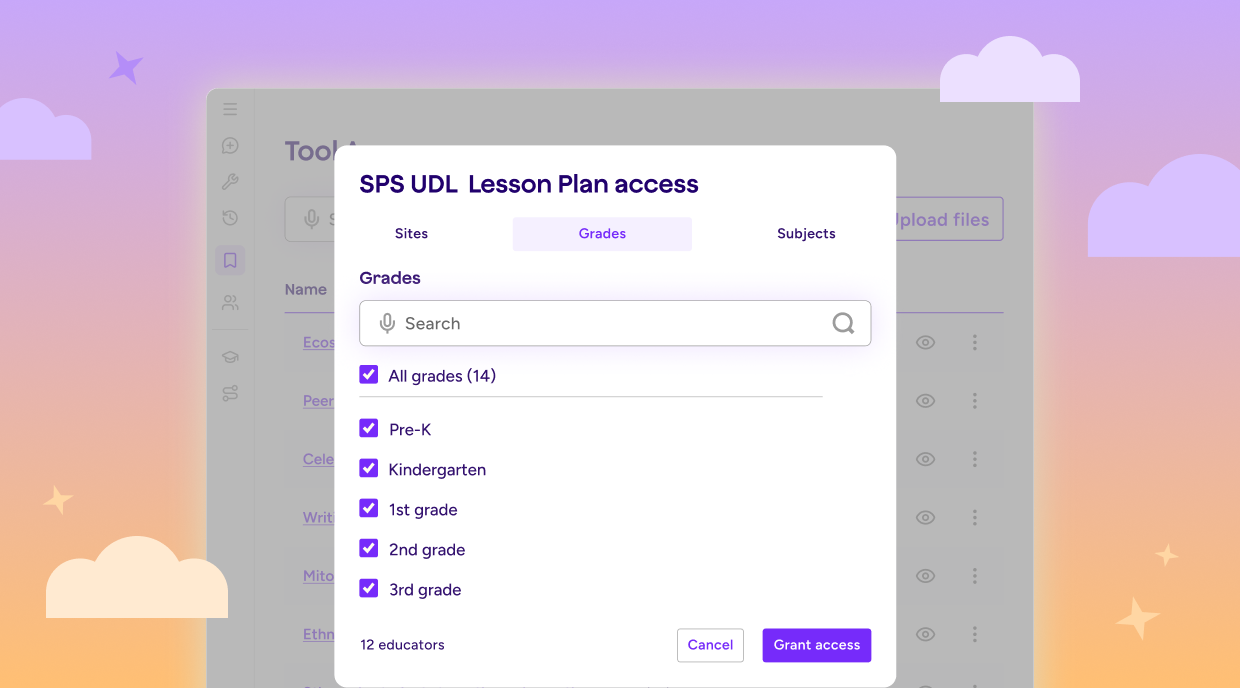
Imagine every 3rd grade literacy teacher in your district opening MagicSchool and finding the tools most relevant to their role from the start.
Personalized Access lets you surface tools by school, grade band, or subject area, helping educators discover the resources that matter most to their work without extra setup or configuration.
Custom Student Tools: district-designed AI experiences
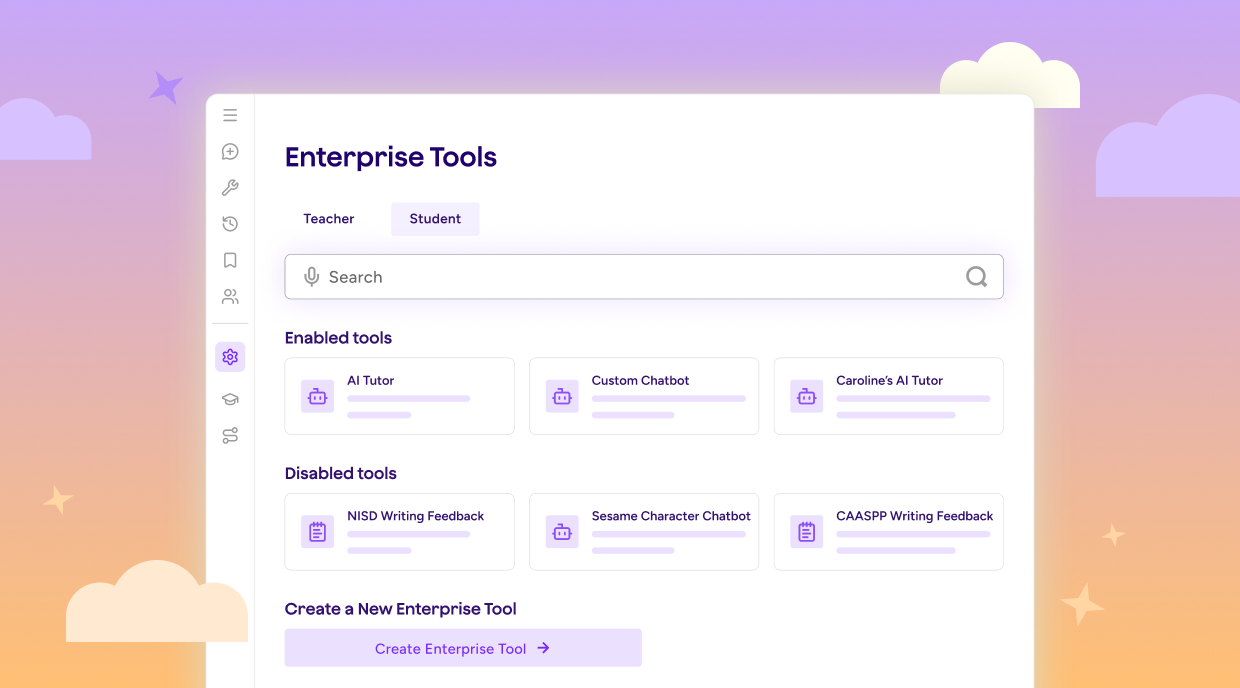
The AI experience students see should reflect the goals and priorities of your district.
Custom Student Tools let you build student-facing AI experiences aligned to your instructional approach and make them available across classrooms in a single step. Educators can start using them right away, while district teams maintain visibility into what students are experiencing inside MagicSchool.
District knowledge: AI grounded in your context
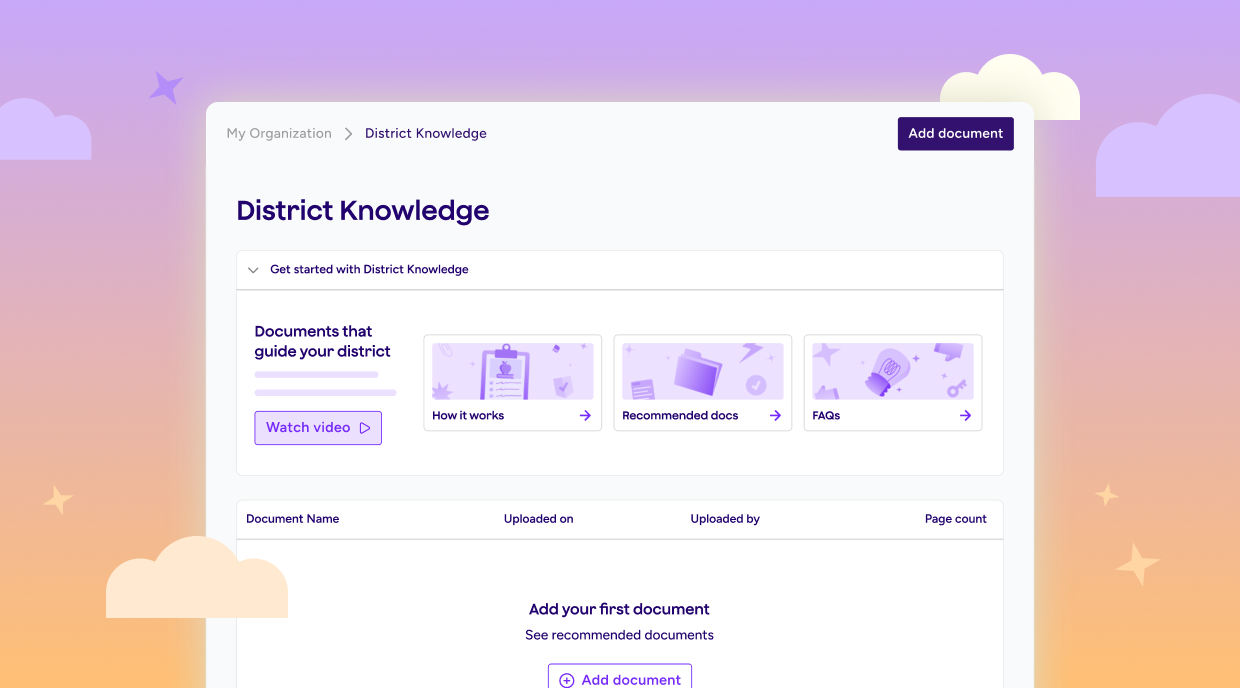
AI is most useful when it reflects the frameworks, expectations, and priorities already in place across your district.
District Knowledge lets you upload pacing guides, standards documents, academic calendars, Acceptable Use Policies, and other district resources. Teacher tools can then generate outputs grounded in those materials, helping educators create resources that align with the guidance and frameworks your schools already use.
Upload once, and that context is available wherever educators are working in MagicSchool.
Self-serve configuration: safety policy you own and control
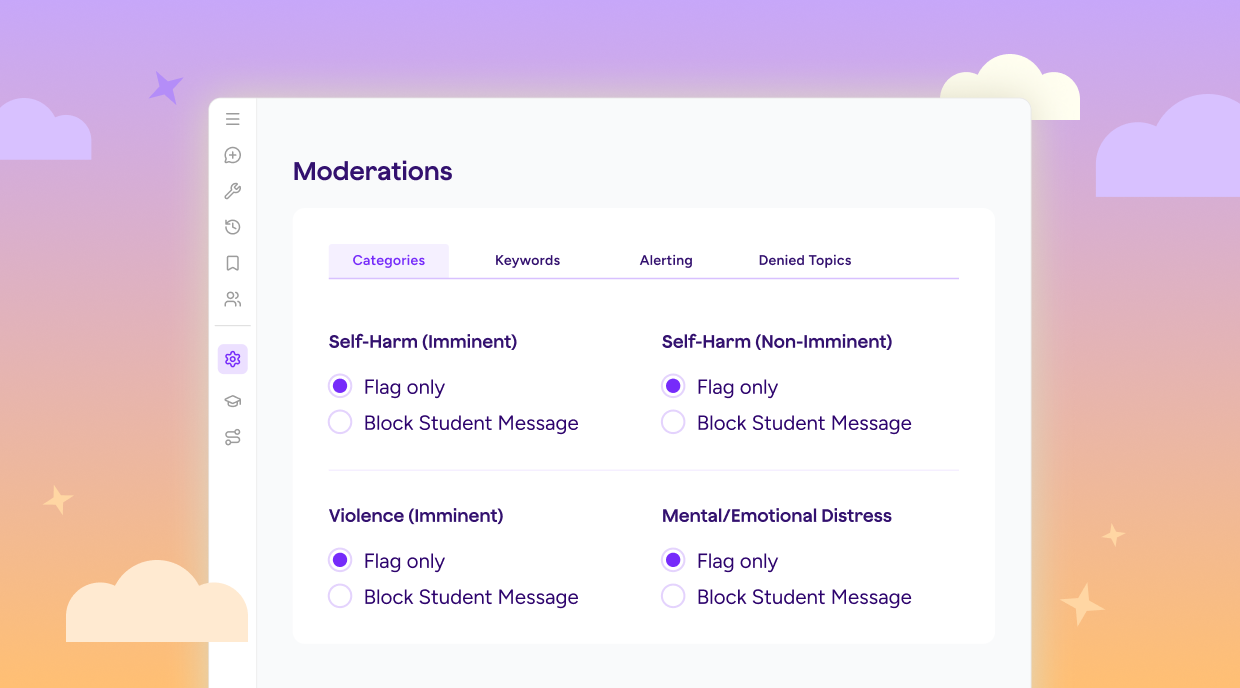
Your district's safety protocols shouldn't have to wait for a support ticket.
Self-Serve Configuration lets you set alert routing and add custom keyword lists directly in MagicSchool. As policies evolve and priorities change, your team can make updates when you need them and keep your safety settings aligned with district expectations.
Enterprise Rostering: your class roster, inside MagicSchool
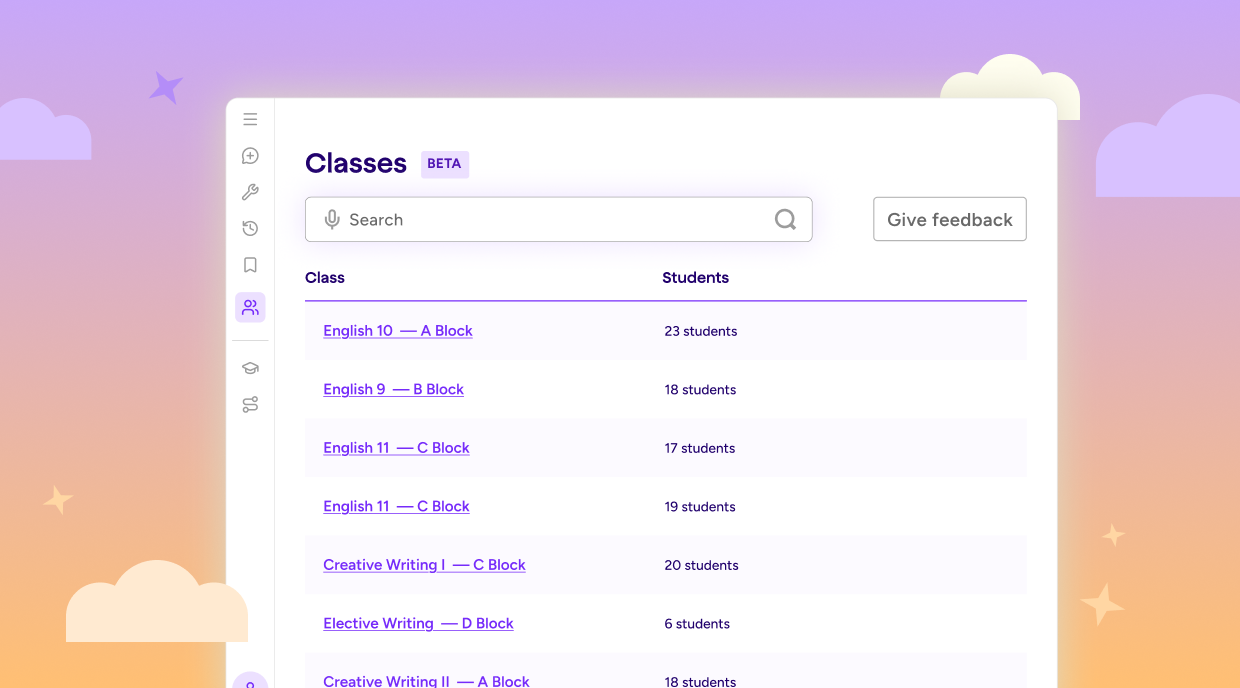
When class rosters are already in MagicSchool, teachers can spend less time getting set up and more time working with students.
Enterprise Rostering syncs class rosters directly into a dedicated Classes section, giving teachers one place to view their students while providing district teams with enrollment visibility across schools.
It's an important step toward a more connected MagicSchool experience, with the context needed to support teachers and students more effectively over time.
Available via waitlist, Summer 2026. Join the waitlist →
A stronger start for every school
No two districts are exactly alike, and the tools they use shouldn't be either.
These updates are designed to give district teams more ways to shape the MagicSchool experience around their priorities, support educators more effectively, and create consistency across schools.
We're excited to see what you build this year.
What’s next for MagicSchool’s AI Operating System for Schools?
Since we introduced the AI Operating System for Schools in February, we've been listening to your feedback and building behind the scenes. Join us on August 12 for an update on our vision, a preview of what’s coming next, and a closer look at where MagicSchool is headed.
Are the new Back-to-School features included in my MagicSchool Enterprise plan?
Yes! Your Enterprise plan includes access to all Back-to-School feature updates and enhancements announced this season.
Can MagicSchool be used across an entire school or district?
Yes. Schools and districts can implement MagicSchool through the Enterprise plan. Enterprise supports district-wide access and includes features like administrative dashboards, single sign-on, and centralized controls. These tools help district leaders introduce AI thoughtfully while maintaining visibility and oversight. You can learn more about district plans on our Pricing page.
How can schools get started with MagicSchool this school year?
Teachers can get started with MagicSchool for free today. For schools and districts, our team can help you explore Enterprise options, professional learning, rostering, and implementation support so educators can make the most of MagicSchool from day one.
How can MagicSchool help teachers save time during Back-to-School planning?
MagicSchool helps teachers save time on many of the tasks that pile up at the start of the school year, including lesson planning, differentiation, assessments, family communication, and classroom preparation. With more than 80 AI tools built specifically for educators, teachers can spend less time creating materials and more time focused on students.